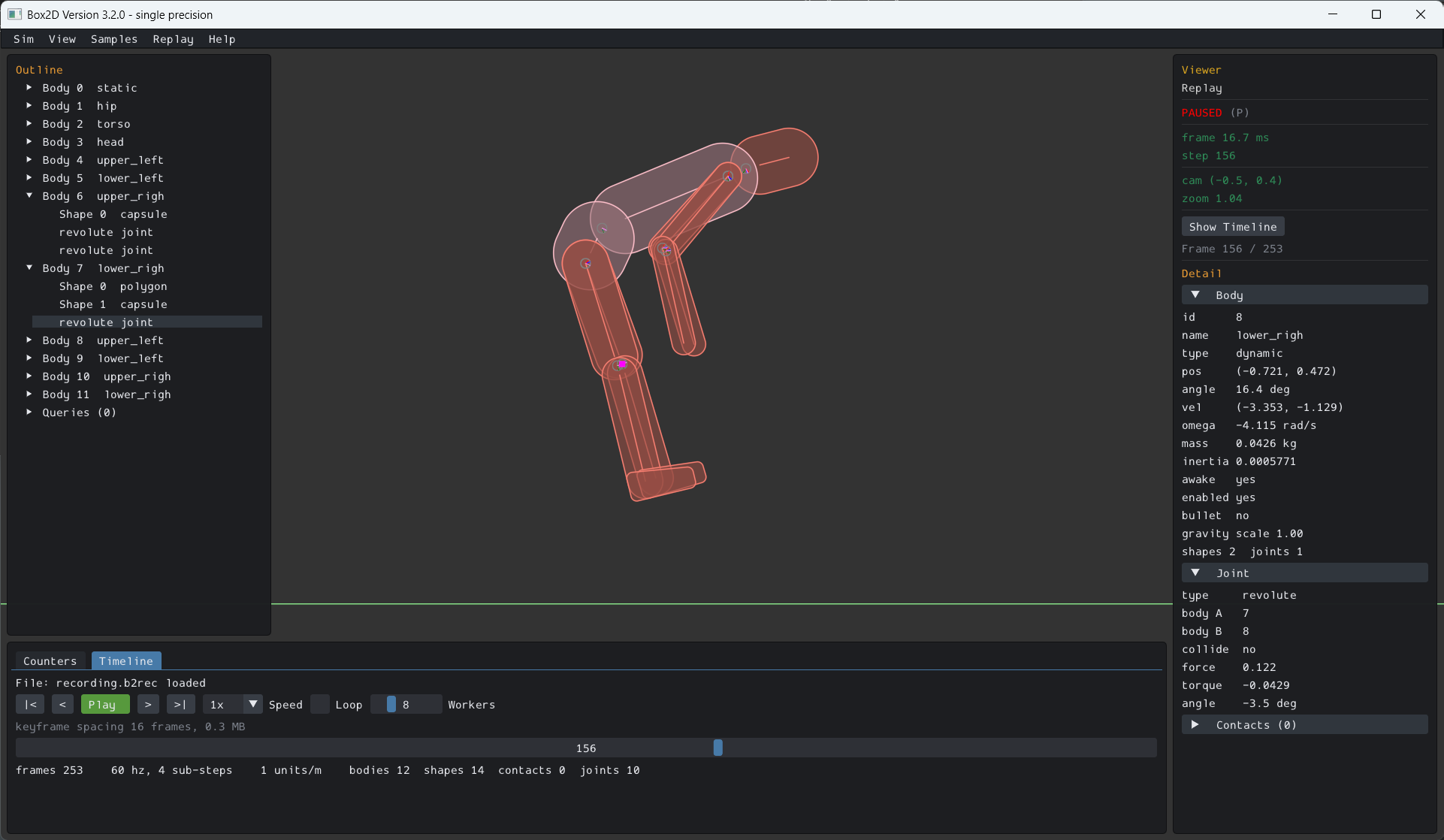
Box2D can record a simulation into a memory buffer and replay it later, reproducing the original run exactly. A recording is a snapshot of the world at the moment recording starts followed by a log of every world-mutating API call after that. Replaying it re-runs the engine from the snapshot over those same calls, so the bodies follow the same paths and end up in the same state.
The main use is for debugging. You can record a session, save the buffer to a file, then load it in the sample app and view the Box2D state as the simulation progresses. You can zip it and upload it into a GitHub issue to report a bug.
You own the recording buffer. Box2D records into it and grows it as needed. You save it to disk and free it. You can use the helper b2Recording_SaveToFile() to save it to disk.
A recording can start before the first step, capturing the whole session, or mid-session. Either way the buffer opens with a snapshot of the world as it stands when recording starts, so there is one code path for both use cases.
Create a recording buffer, start recording the world into it, then run the simulation as usual. Start before the first step to capture everything.
b2CreateRecording takes a byte capacity to pre-size the buffer. The buffer grows on demand, so any value is safe. Pre-sizing just avoids reallocations during a long session. Pass 0 for a small default.
b2World_StartRecording must be called between world steps. It serializes a snapshot of the current world as the seed, so it works whether you call it before any bodies exist or deep into a running simulation. It has no effect if the world is already recording.
When you are done, save the buffer and free it. File I/O is yours to do. The convenience helper writes the raw bytes:
Stopping is optional: b2DestroyWorld detaches an active recording for you. The recording buffer outlives the world, so you can still save it after the world is gone. You can also keep simulating after b2World_StopRecording without recording, and reuse the same handle for a fresh recording with another b2World_StartRecording.
A recording starts with a snapshot. It is a serialized image of a world's simulation state between world steps. It captures everything the engine needs to continue the simulation: bodies, shapes, joints, contacts with their warm-start impulses, the island and sleep partition, the broad-phase trees, and the id pools. It is a lot of data. It does not capture host wiring (worker count, task callbacks, user data, the friction and restitution mixers). That is rebuilt or reinstalled at restore.
Snapshots are available directly, without recording, as a public API for save states and rollback:
b2World_RestoreFromSnapshot keeps the world's slot and generation, so the b2WorldId and every b2BodyId / b2ShapeId / b2JointId / b2ChainId you held at the snapshot instant resolve again. Ids created after the snapshot will fail validation after a restore rather than aliasing a different object (thanks to a generation number). b2CreateWorldFromSnapshot allocates a new world, so use it only when there is no existing world to restore into.
You can validate your snapshot workflow using b2World_GetStateHash(). This function also might be useful for determining if rollback is needed in client prediction scenarios.
Like recording, snapshots are worker-count independent: a world snapshotted single-threaded restores and continues with any worker count.
The samples app has a Replay menu you can use to open a recording.
You can pass the recording on the command line, which boots the samples app into the viewer with the file pre-loaded:
There is a public replay API, but that is there to be used by the samples app. Advanced users can look at the replay viewer for details.
Replay is only guaranteed to reproduce the original only when the Box2D source is identical for the recorder and player. It is possible it could work across different source builds, but that is going to be luck. Additional caveats:
Overlap and cast queries issued during a recording (ray casts, shape casts, overlap tests, and the character mover casts) are recorded too. On replay each query is re-issued against the replayed world and its results are compared against what was recorded, so a query that returns different hits is flagged like any other divergence. This is visualized in the replay viewer.
 1.18.0